Invoicing
Overview
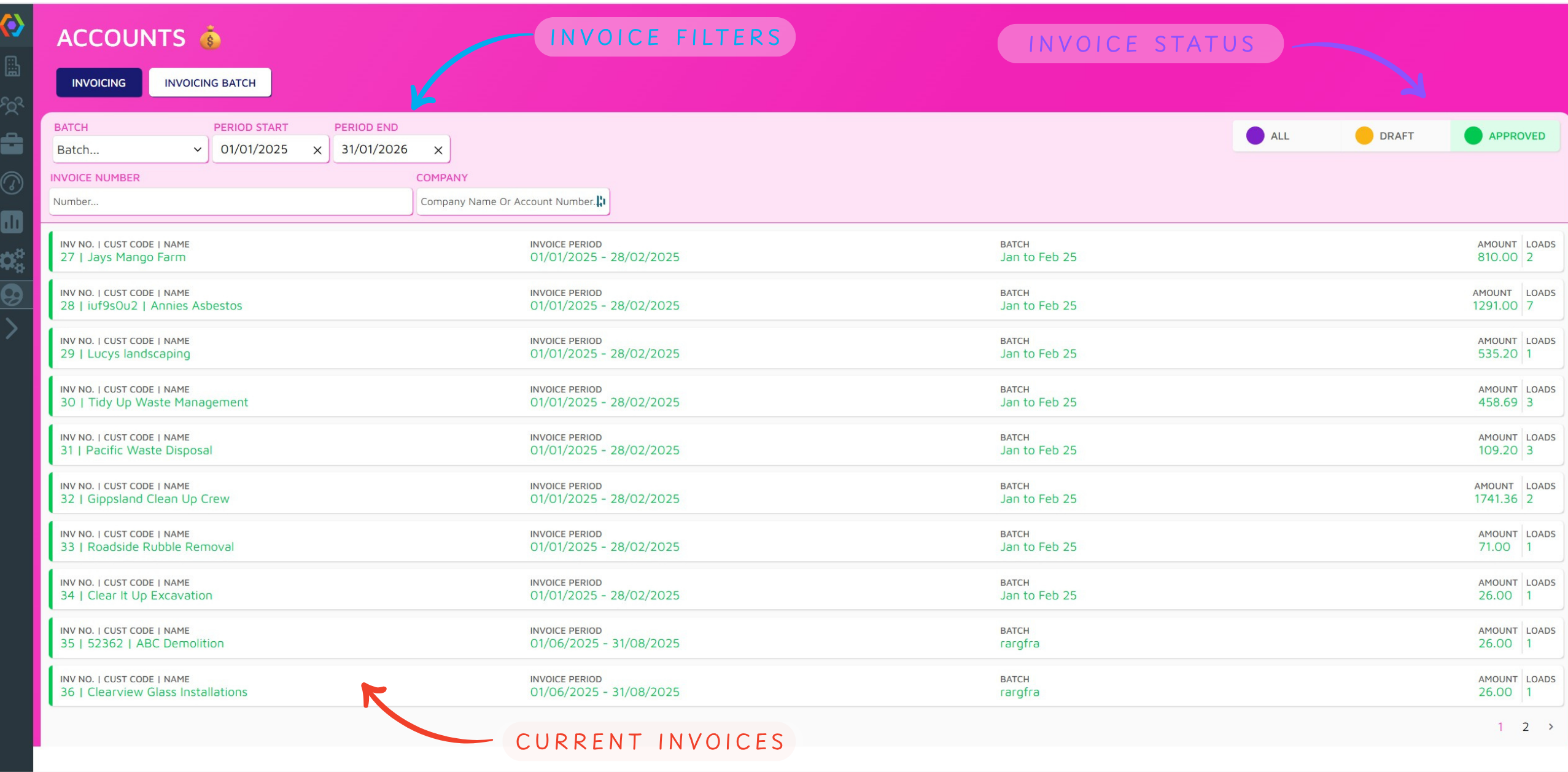
The Invoicing module of PIVOT enabled the simple management of invoices for account customers. Account page shows all CURRENT INVOICES, which can be filtered by date of batch name using the INVOICE FILTERS of INVOICE STATUS.
Batch Generation
Batch Tab
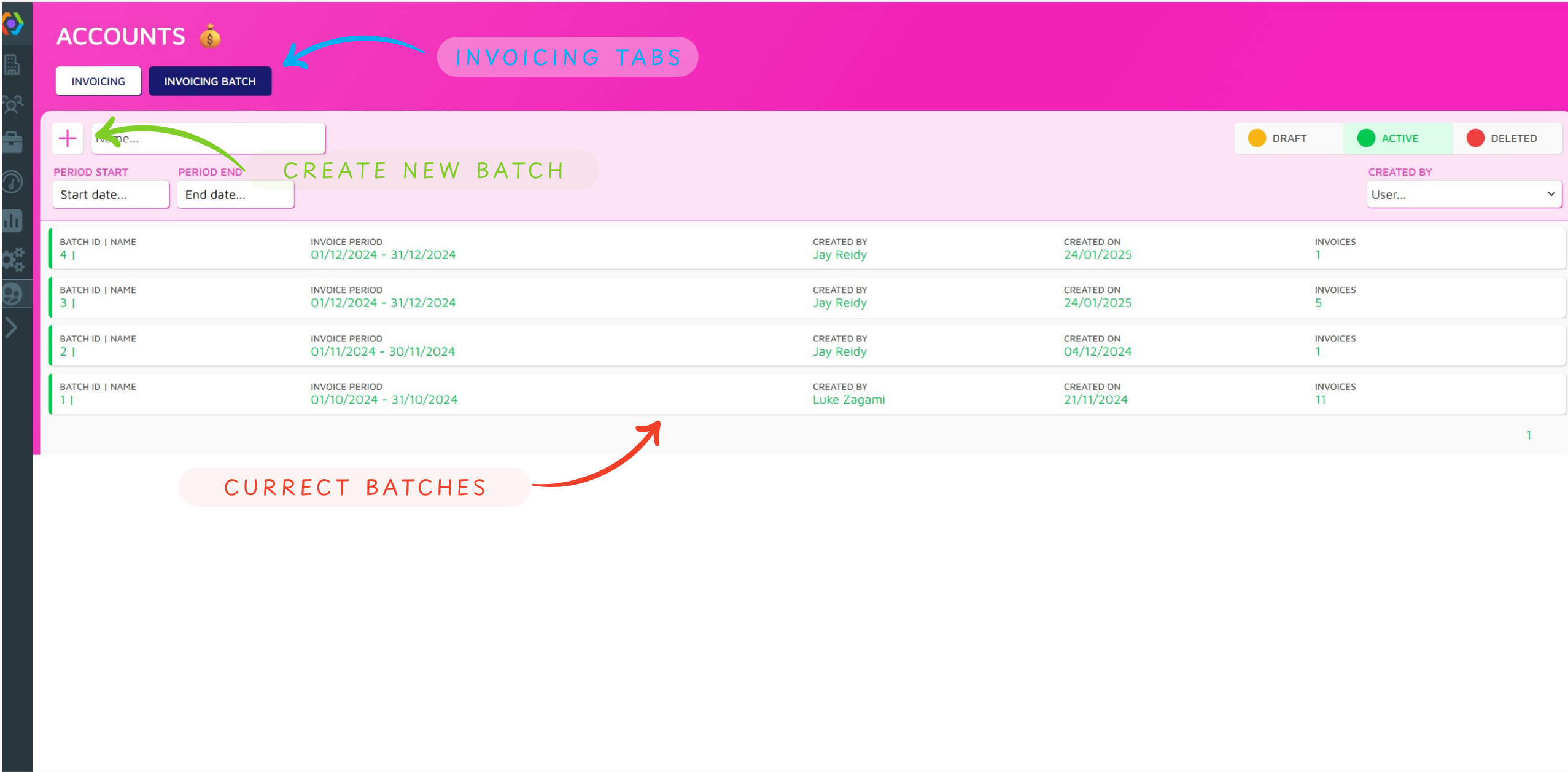
The INVOICING TABS allow for navigation between Accounts Tabs. On the Invoicing Batch Tab, you can view CURRENT BATCHES or CREATE NEW BATCH.
Batch Generation
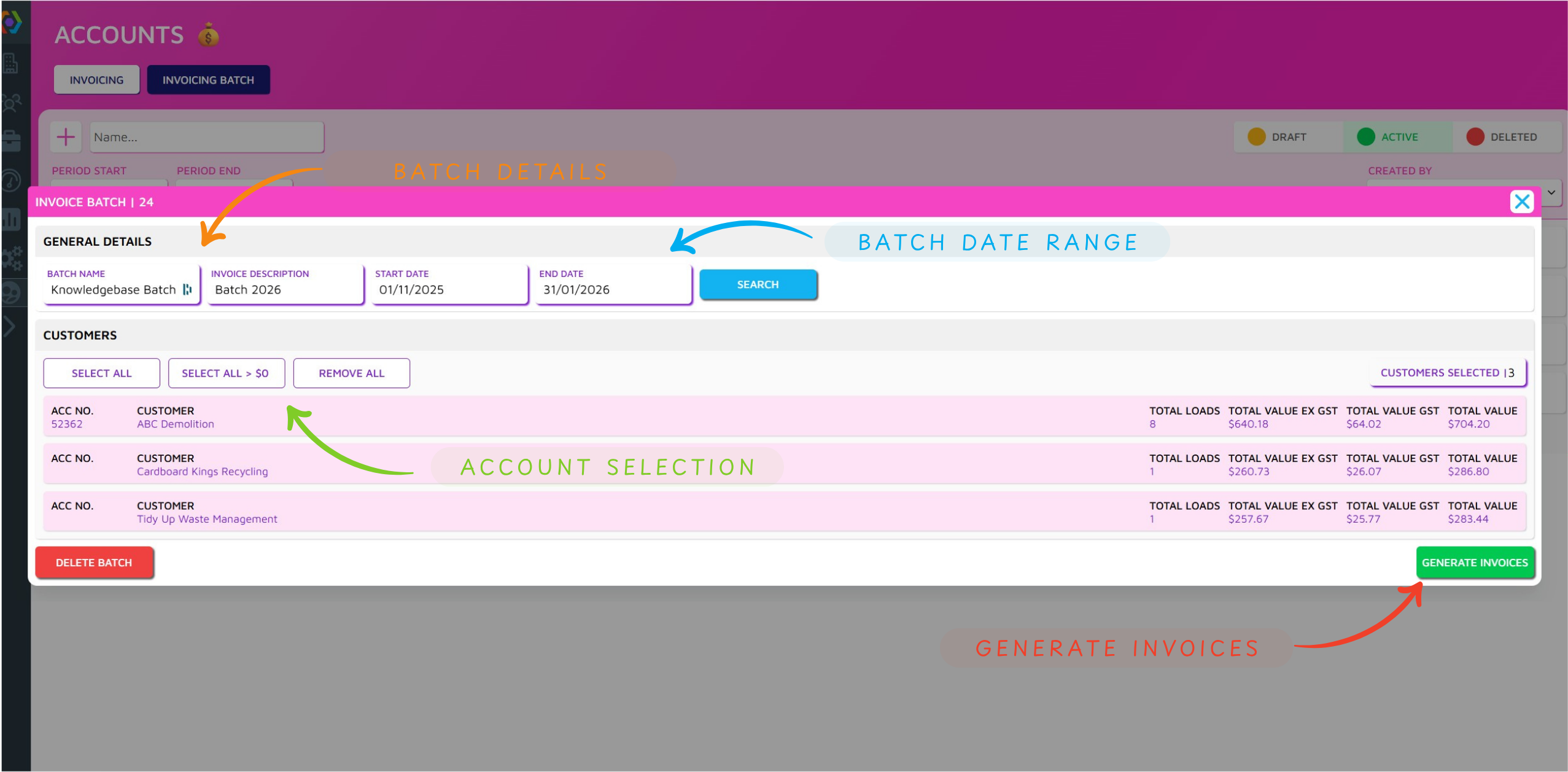
When creating a new batch you can complete BATCH DETAILS and set the BATCH DATE RANGE (then click search) to show all account transactions for that period. Use ACCOUNT SELECTION to select the accounts to be included in the batch. The GENERATE INVOICES button approves the batch and generates invoice files.
Batch Processing
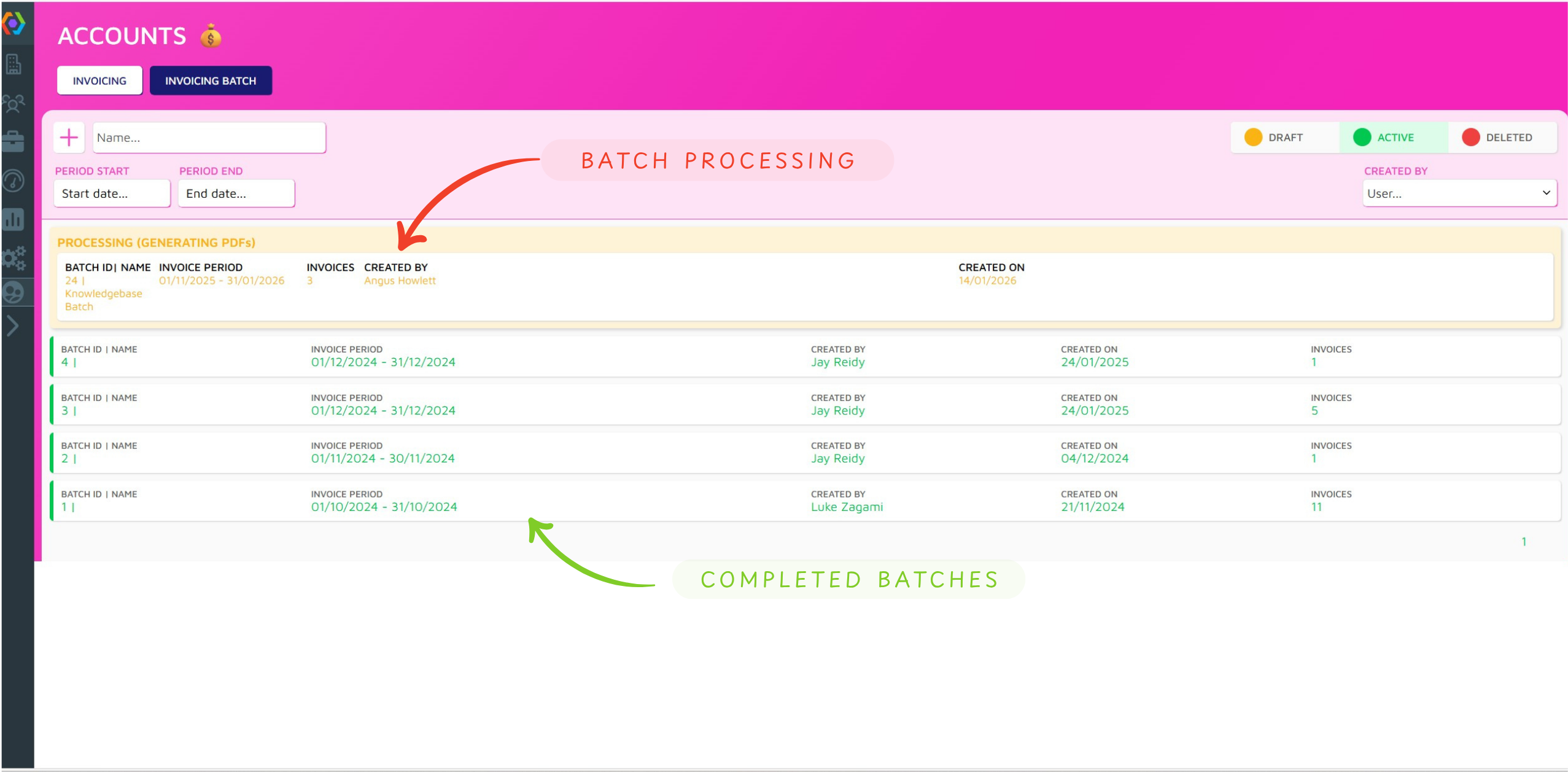
When you have approved a batch, it will move to BATCH PROCESSING and depending on size would take up to several minutes to process. Once complete the batch will turn green and move to COMPLETED BATCHES which are clickable.
Approval and Export
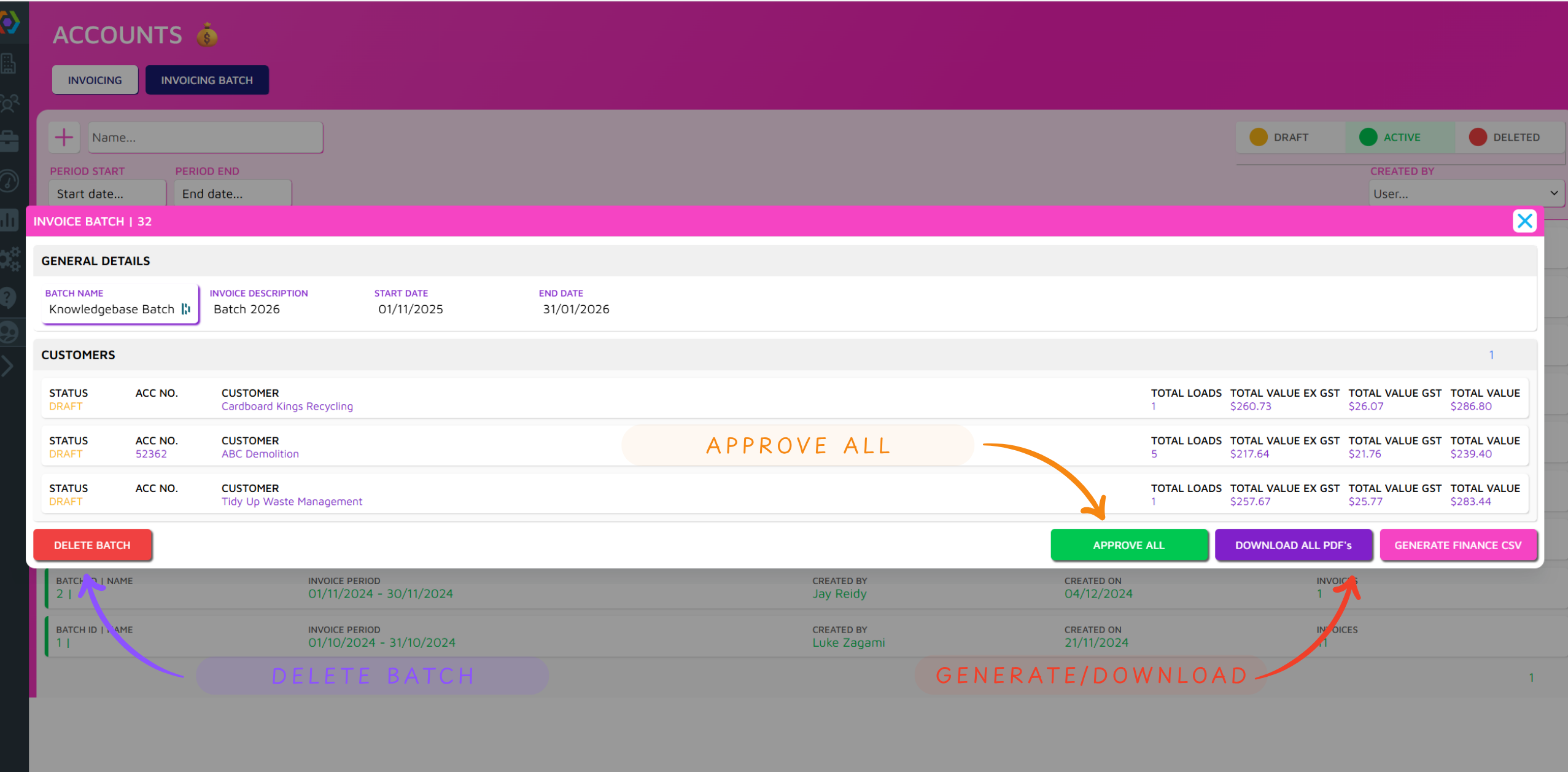
Having clicked on your completed batch you can APPROVE ALL invoices, GENERATE/DOWNLOAD your Finance CSV, or Download all PDF Invoices/load summaries. Alternatively you can DELETE BATCH and all account transactions will return to an unprocessed state allowing them to be included in a new batch.
Editing an Invoice
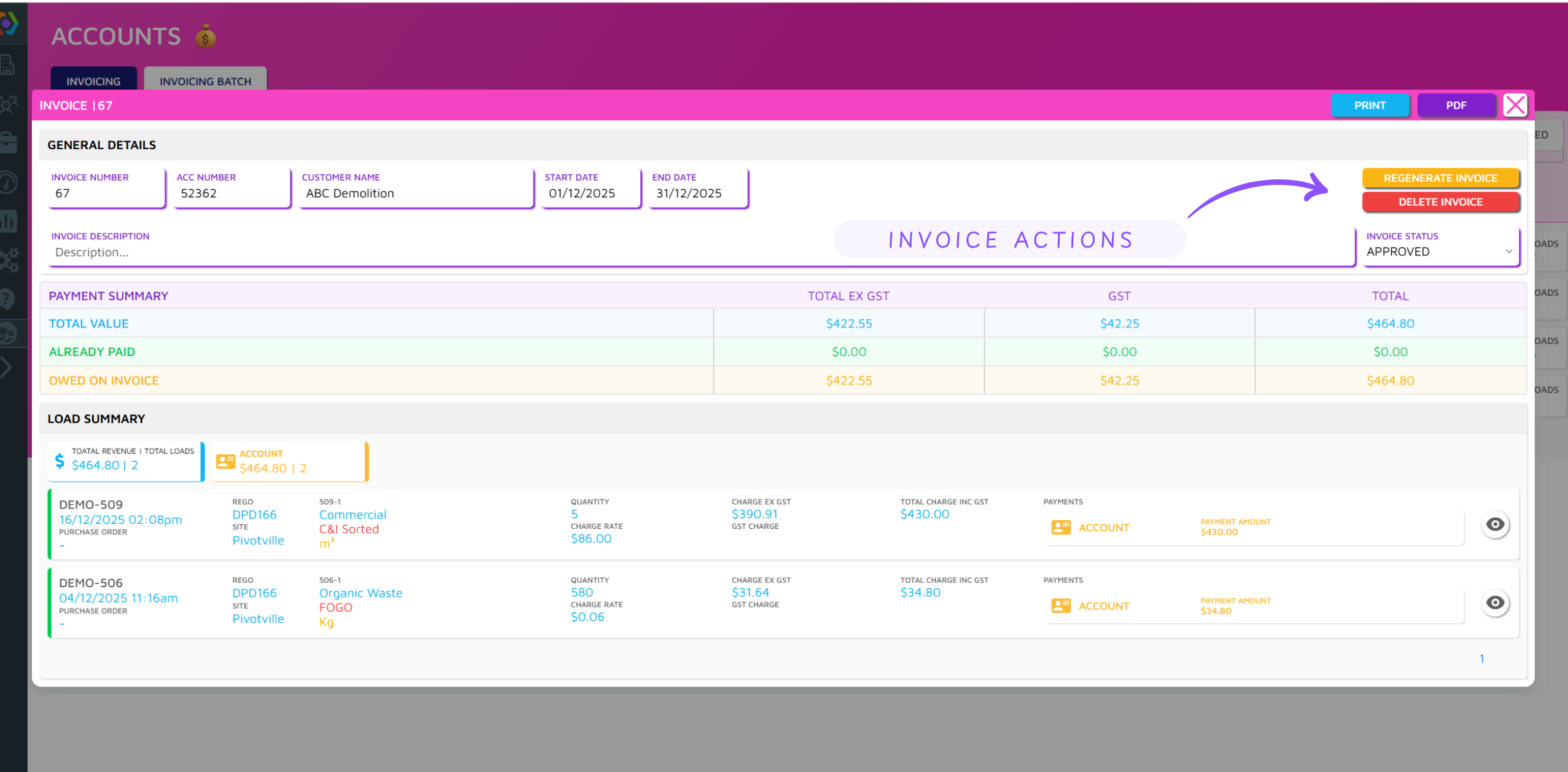
In the Invoicing Tab you can select your Current Invoices (See Overview Above). This allows you to manage individual Invoices via the INVOICE ACTIONS. Deleting an Invoice removes it from the batch and returns it to un-invoiced accounts for inclusion in a future batch. The regenerate button is used to regenerate an invoice where an edit has been made on a load included in an the invoice.